Open the eyes
AI Open Eyes
Fix a blink without swapping the whole face.
 ImageHub
 Every face in the shot, one run
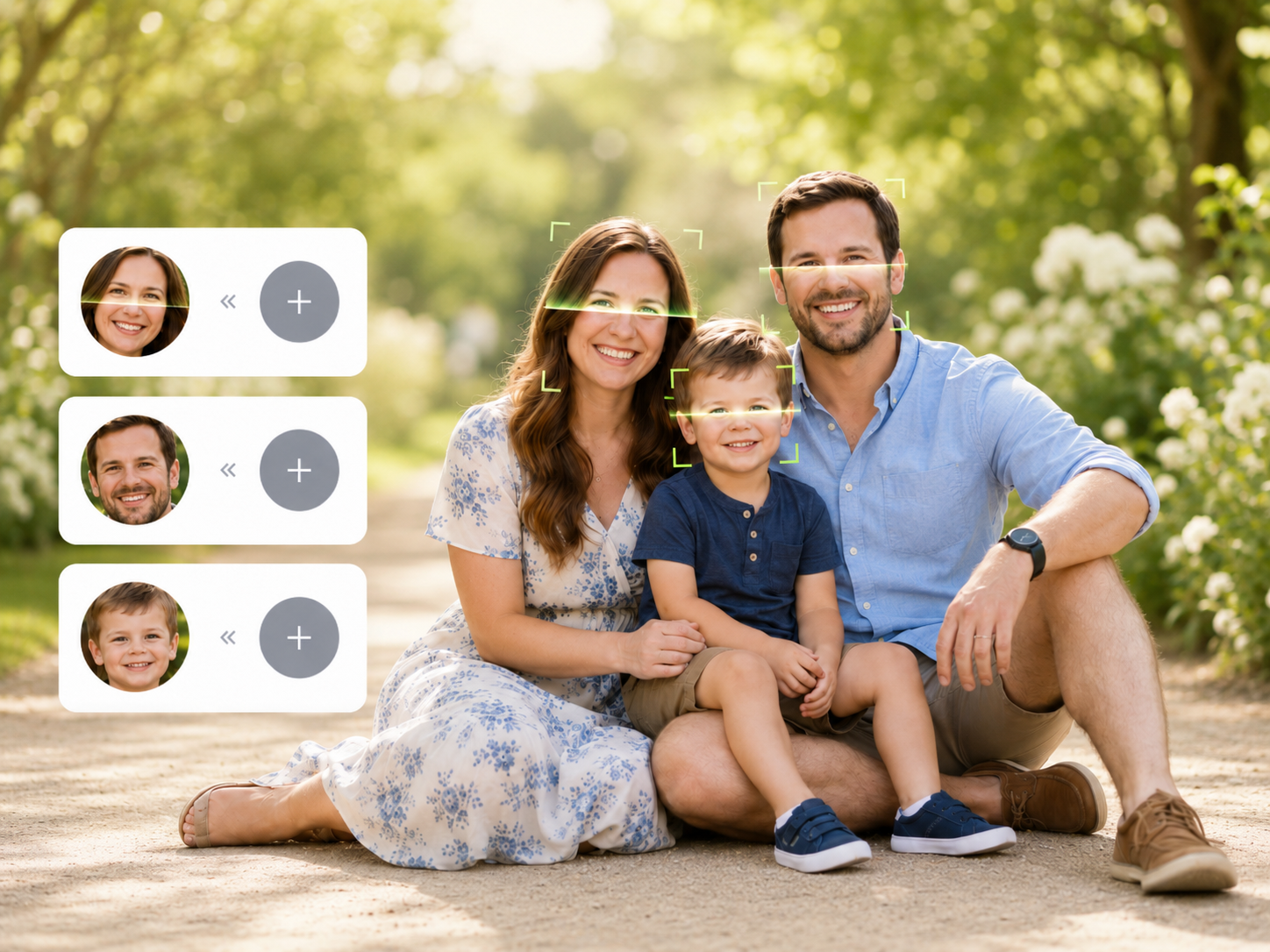
Pair each face with its own new face - or put one face on everyone. One upload, one run, no per-person editing.
Upload a group photo to detect faces.
Upload a group photo to begin.
 group result HD image
One run, not five
The single-face route through a photo of five people: swap the first face, download, re-upload that result, swap the second - five uploads, five downloads, and one mistake means starting the chain over.
Here the whole photo is one job. Map every swap up front - who gets which face - then run them all in a single pass and download one finished photo.
Each face, its own swap
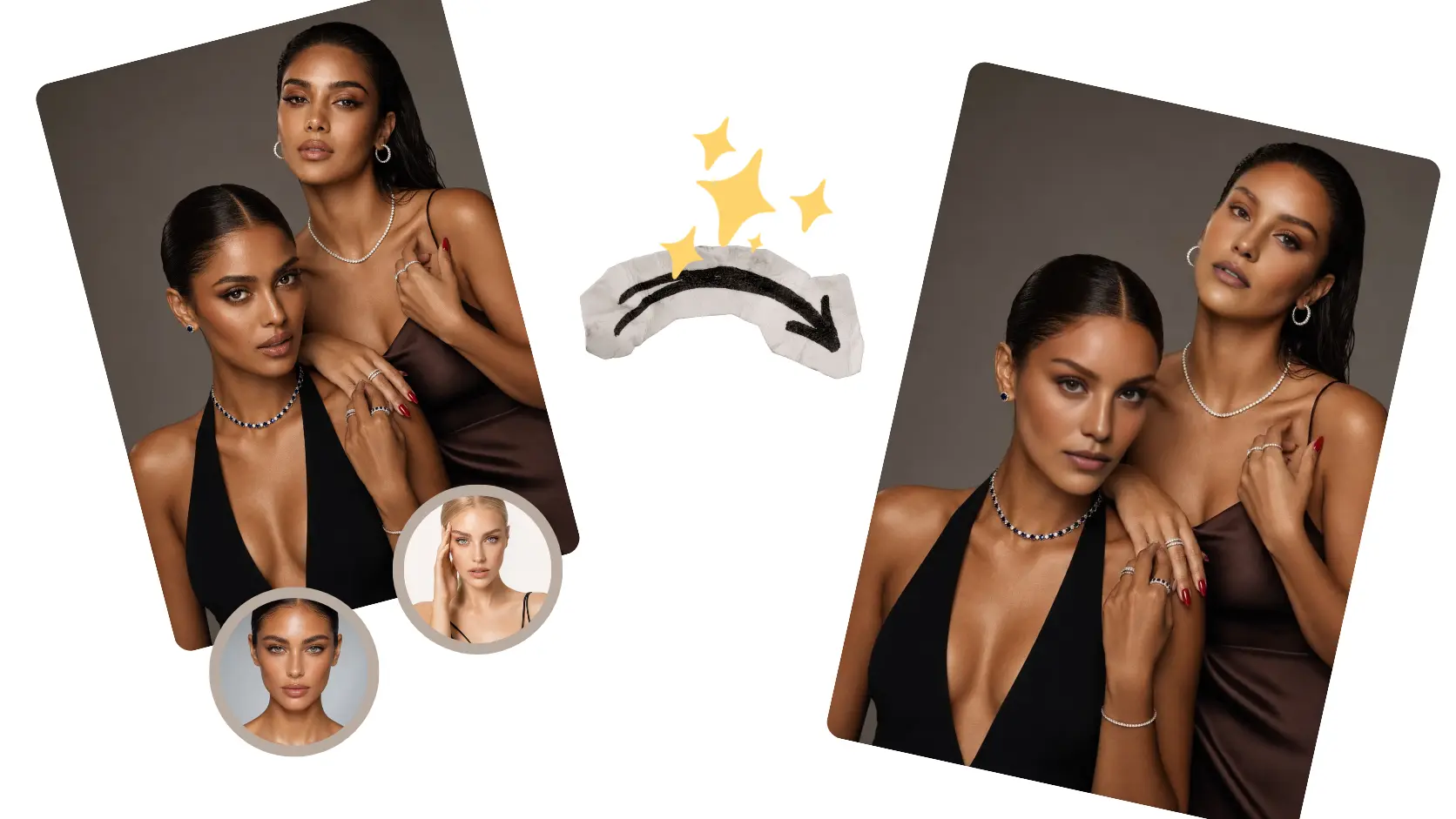
Most group face swappers force one choice on the whole frame: the same new face pasted on everybody, whether you wanted that or not. This one takes a mapping, not a blanket rule. Send face A to one replacement and face B to another in the same run.
Three steps
No masking, no layers, no per-person editing. The mapping is the whole job: upload once, pair the faces, run once.
Every face in the shot shows up as selectable.
Pick a face, add the new face for it, and repeat for as many people as you want - or apply one new face to all of them at once.
One pass swaps the whole mapping. HD result, no watermark, and a different mapping can be run again from the same page.
Swap the group photo ->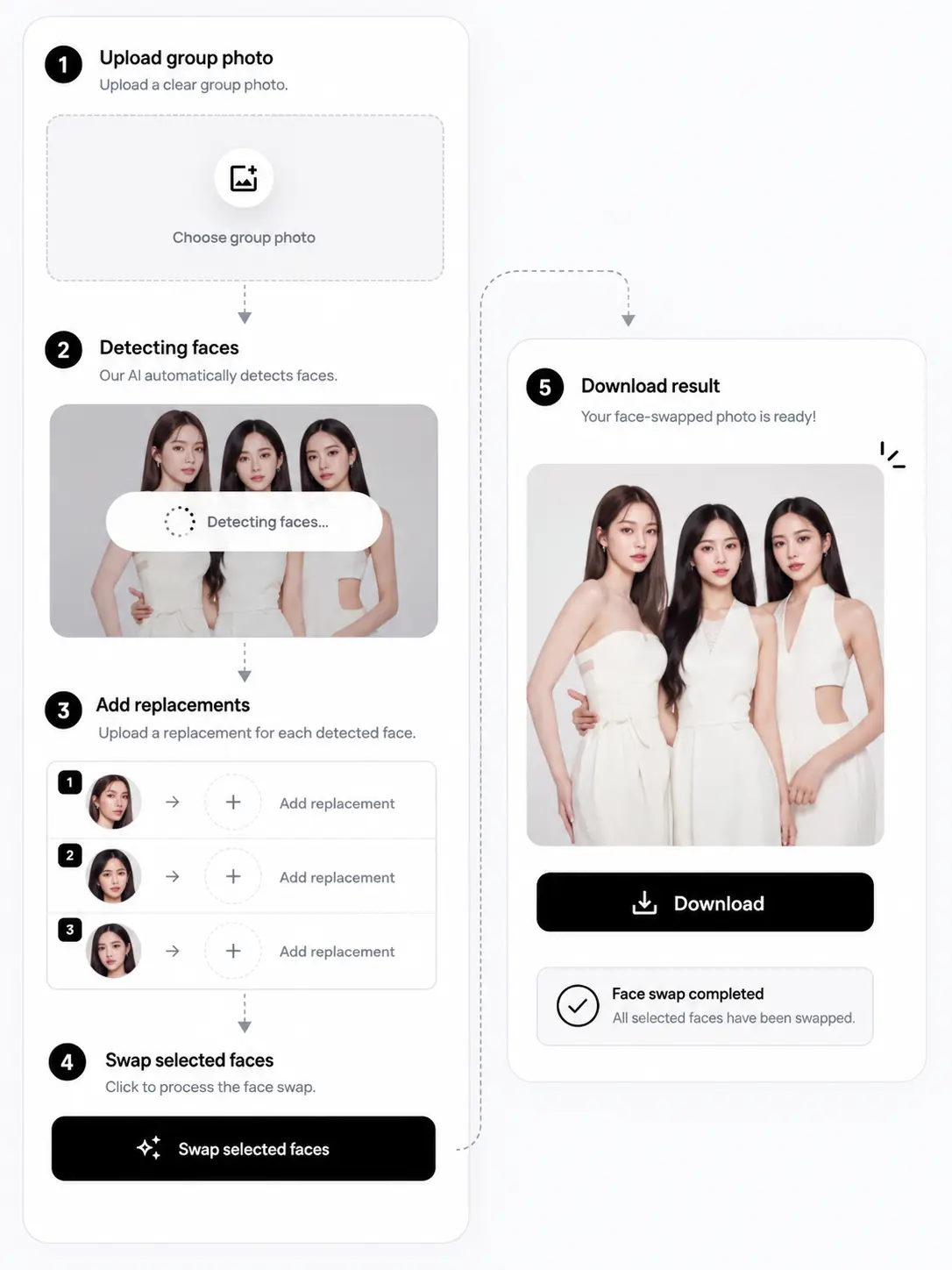
Where the group shots go
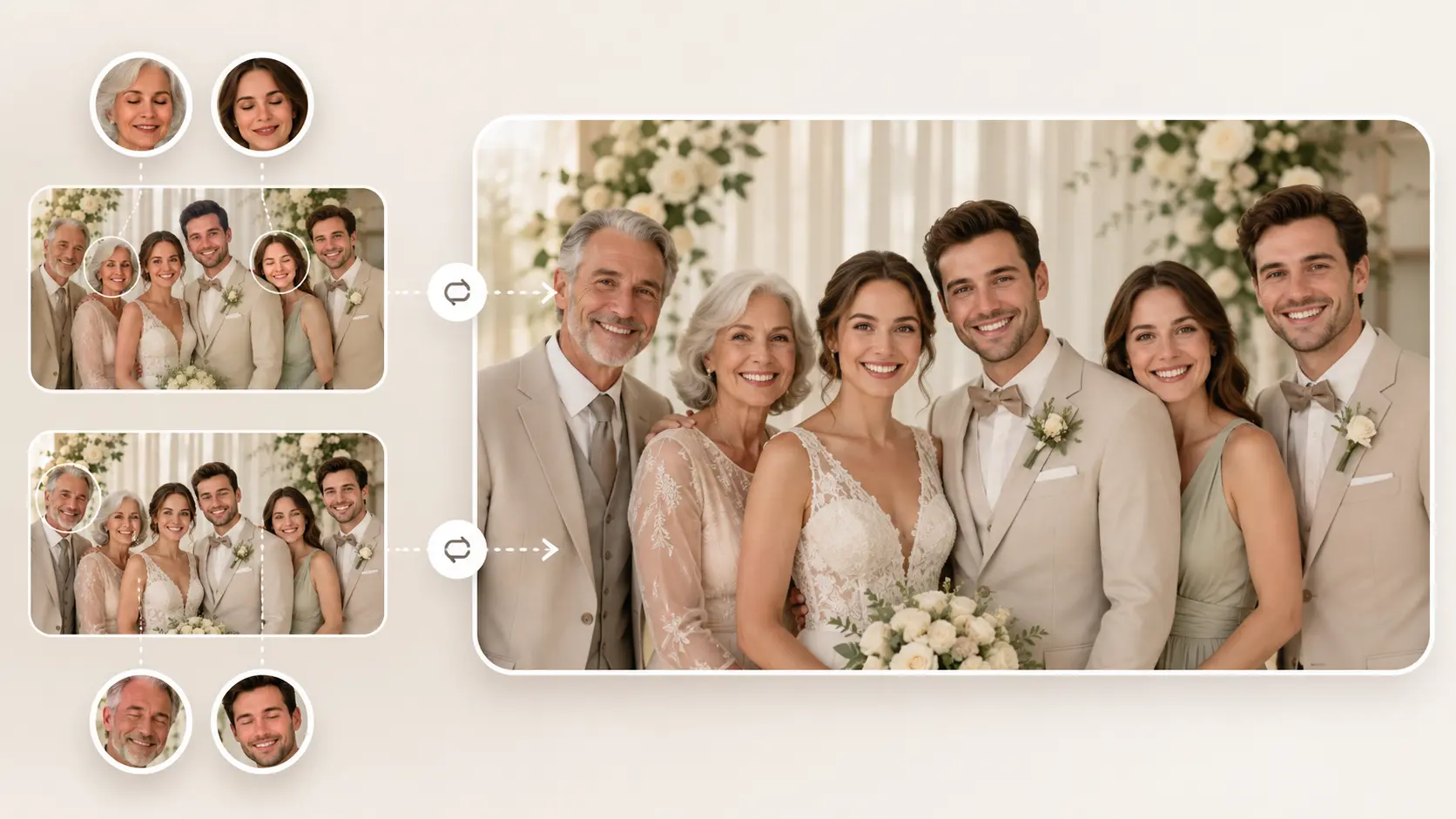
The only frame where everyone is in position has two people mid-blink. Swap each closed-eye face with the same person from the shot taken two seconds earlier, so the album keeps the frame where everyone is finally looking at the camera.
Fix the group shot ->Before you swap
Practical answers on face counts, per-person mappings, blink fixes, small back-row faces, pricing, and whose faces are fair to swap.
For a single swap - your face onto a meme template, one thumbnail, one portrait - the AI Face Swap page does it with less setup: one photo, one face, done.
One run away
The group shot is already good - map each face to the right replacement and it is finished.
Swap the group photo ->